Untuk Render animasi yang telah siap,
Pergi ke "Properties Panel" (Default View) LeftHand Side, Click Icon Render (gambar camera).
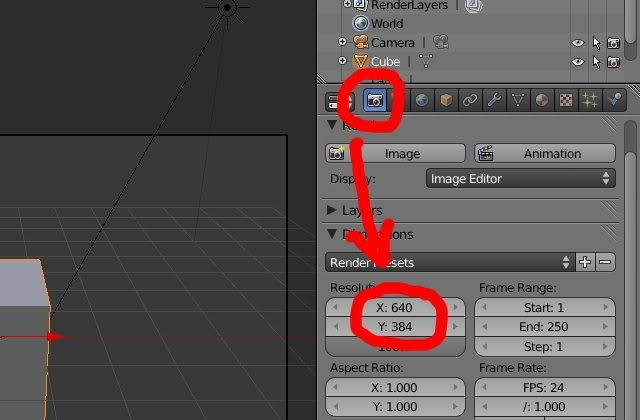
Setkan size Rendering.. contoh: X = 1080, Y = 720
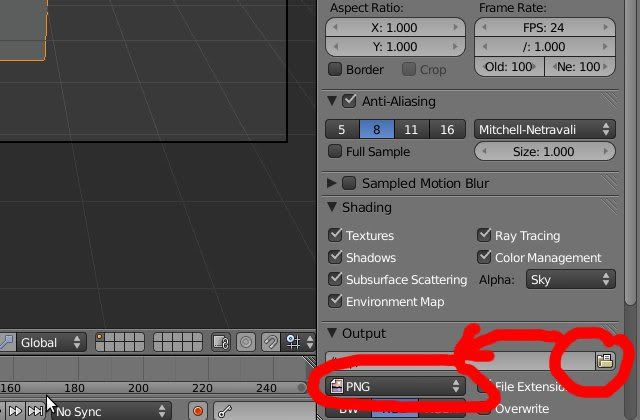
Kemudian, setkan lokasi file animation yang akan dirender.
Setkan "File Type" contoh: MPEG
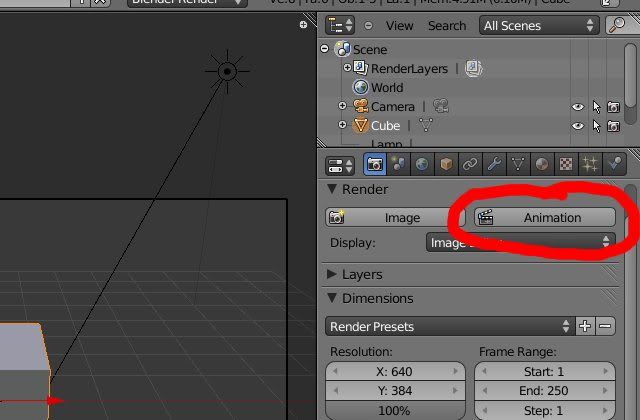
Akhir sekali, Click button Animation.. pastu.. tunggu aa sampai animation siap dirender..
Animation yang siap di"render" akan di"save"kan pada lokasi yang telah dipilih dalam harddisk.
January 28, 2011
Panjang Selected Edges & Faces
Memaparkan Panjang Selected Edges & Faces in Blender.
- Pilih object
- Tekan "n" untuk Numerical Panel
- Pastikan berada didalam "Edit Mode" (Tekan "Tab")
- Pilih Faces atau Edges pada object pada 3D View
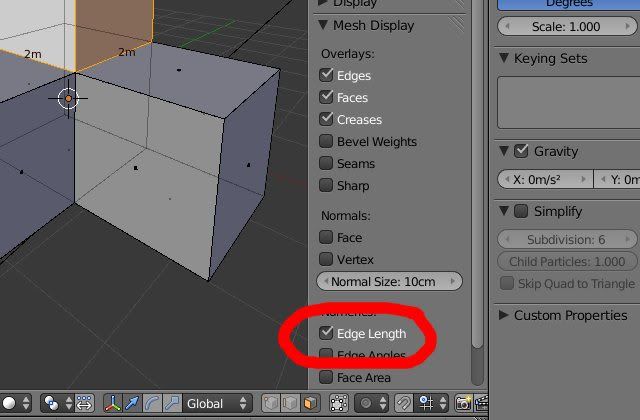
- Tick Edge Length pada Numerical Panel
January 20, 2011
Abrams M1A2
WIP.. M1A2 Abram MBT (Main Battle Tank)
Err.. actually just to coverup my previous post. A little bit busy right now for a new project. Will write more soon.
You can keep browsing my blog either using the 'Archive' or 'Projects' listed on the right panel there >
Err.. actually just to coverup my previous post. A little bit busy right now for a new project. Will write more soon.
You can keep browsing my blog either using the 'Archive' or 'Projects' listed on the right panel there >
Subscribe to:
Posts (Atom)